
Harvi
Creating an AI-powered platform to assist high school students in crafting their college application essays.
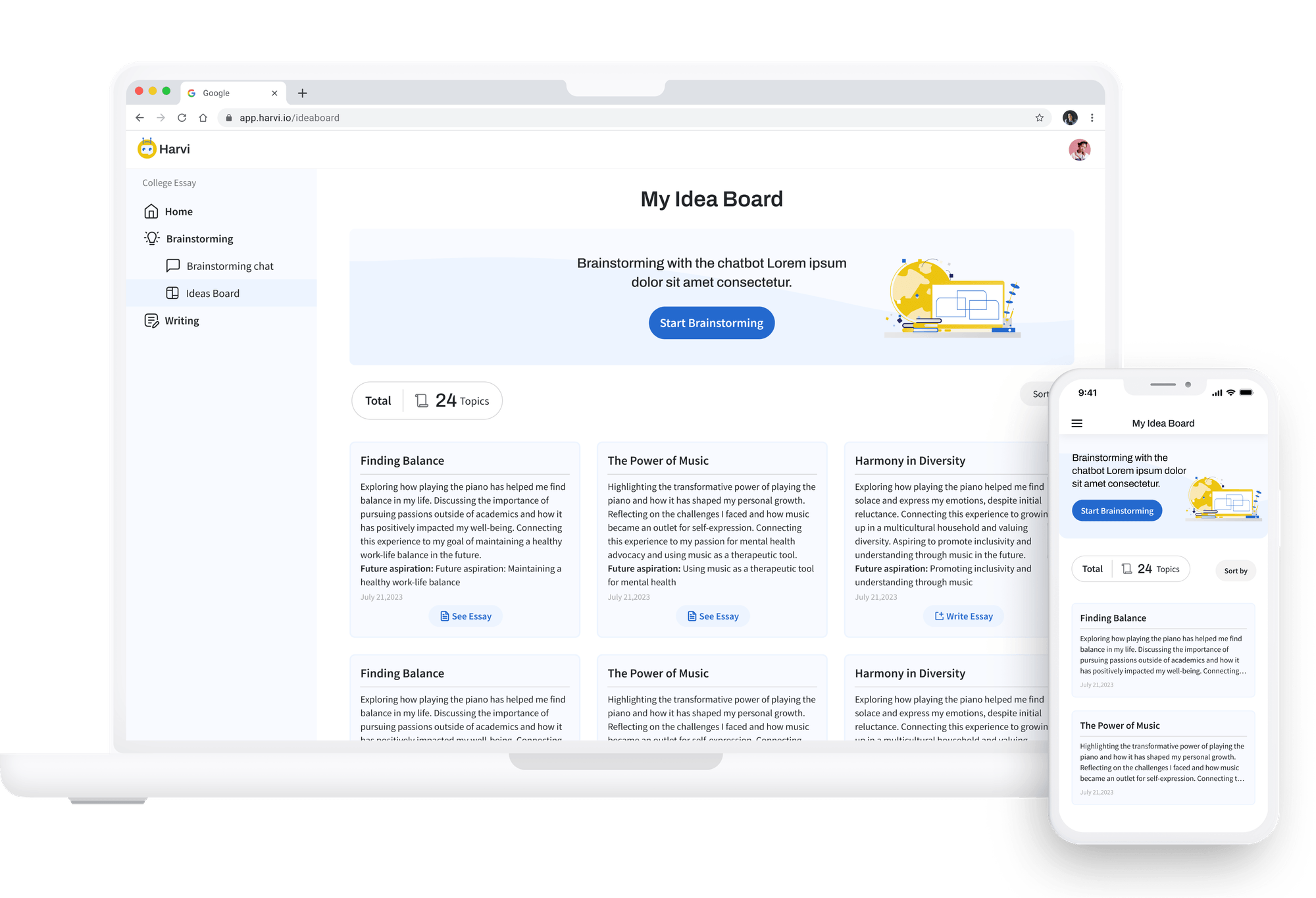
Crafting college application essays is challenging, demanding introspection, creativity, and meticulous revision. This is where Harvi steps in. Harvi serves as a guiding hand for high school students, assisting with brainstorming, outlining, and editing their essays.
As the solo product designer, my contributions include creating all wireframes and prototypes, conducting usability testing, and establishing the first design system. Through effective collaboration with stakeholders, Harvi was successfully launched within 2 months from 0-1.
Problems
Many students lack proper guidance and expertise in crafting well-structured and impactful college application essays.
The average student receives only 30 minutes of college counseling annually, which simply isn't sufficient, particularly when considering the importance of college essays in applications. Crafting a compelling essay demands significant time and effort. However, amidst the quest for excellence, students encounter challenges in selecting captivating topics, effectively presenting themselves, and accessing professional feedback during the essay writing journey.
Goals
Enhancing access to support and expertise for crafting high-quality college application essays.
Recognizing the significance of fostering equity and opportunities among high school students, we aim to introduce a quality and scalable solution for those encountering challenges in their college applications.
Solution
Offer a free AI college counselor to assist high school students in crafting college essays, improving both efficiency and quality.
Outcome
Accumulated over 1,000 active users within the first two months, achieving a 90% user satisfaction rate.
After the MVP launch, Harvi received positive feedback from users, expressing increased confidence in their college applications while using the platform.
“I am much more prepared for writing my college essays now! I got advice on exactly what colleges are looking for.”
“Even though I had an idea already, I could think of new or more themes from my ideas.”
“Chatting with something makes it easier to remember memories than just sitting alone, thinking about the past.”
Research & Strategy
Understand and address students' challenges throughout the three key stages of the essay crafting process.
The college application essay process includes many stages with unique challenges for students. Recognizing these challenges at each stage is crucial to developing solutions that streamline students' efficiency in crafting their essays.
Findings from stakeholder interview
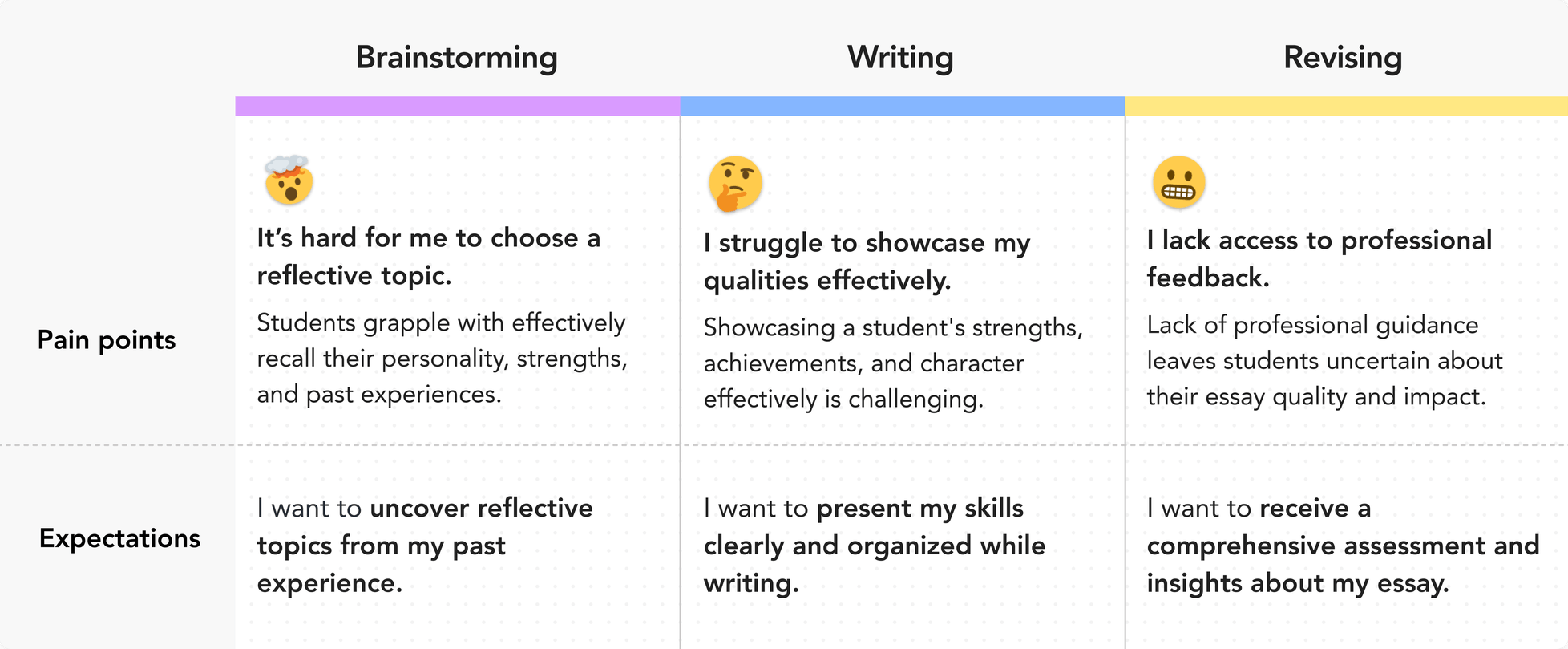
First of all, I delved into understanding students' pain points in the essay writing process through stakeholder interviews. The essay crafting process involves three key stages: brainstorming, writing, and revising. Throughout each stage, students face unique challenges and exhibit diverse needs.
Competitive analysis
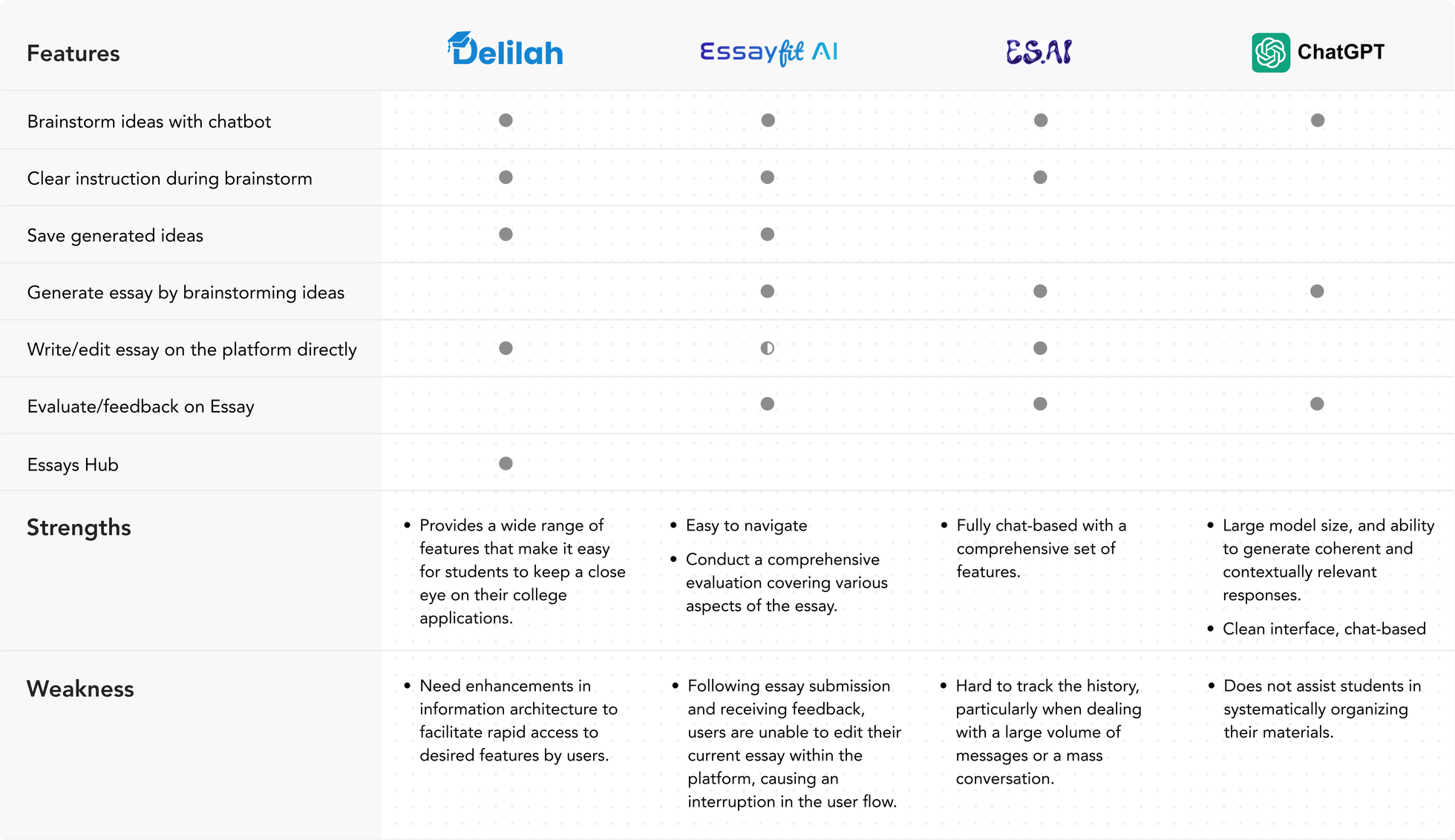
Before delving into ideating features, I discussed AI tools for essay writing with the CEO to understand their strengths and identify any lacking features.
Based on our competitive analysis, we found that besides the highlights of each product, there is a lack of streamlined features that align with students' writing processes. This is precisely what we aimed to address with our product.
Features ideation for enhancing the essay writing journey
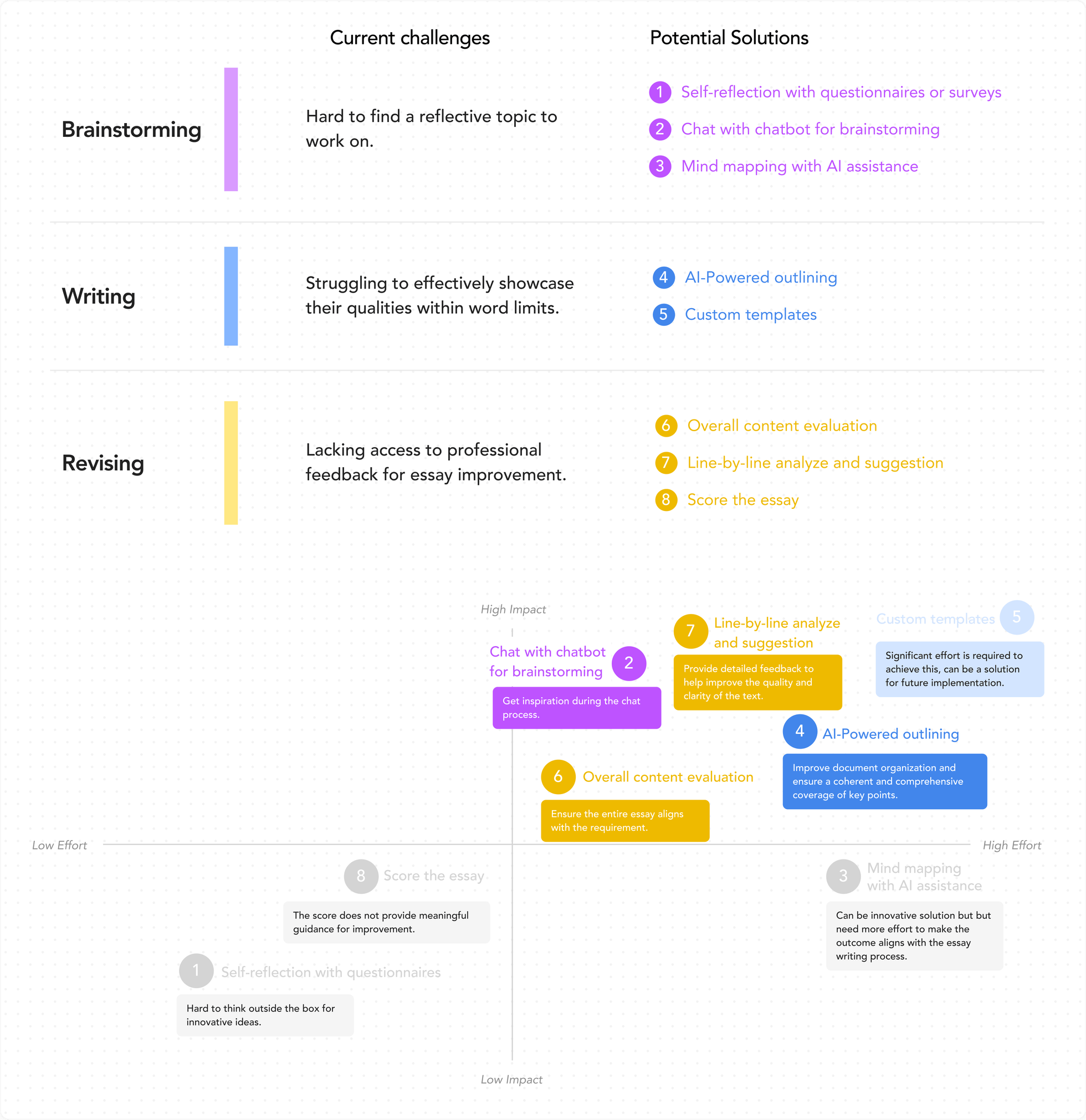
Upon gaining insights into users' pain points and competitive landscapes, I collaborated with the CEO and CTO to brainstorm potential solutions, employing an Impact-Effort Matrix to harmonize business objectives, user needs, and technical feasibility.
MVP features addressing critical challenges and enhancing the essay writing journey.
After evaluating ideas with the Impact-Effort Matrix, we defined features that help students brainstorm essay topics with a chatbot, write with AI-generated structured outlines, and receive AI feedback for enhanced efficiency.
Feature I
Brainstorm essay topics with a chatbot
It helps students smoothly gain inspiration through conversations with the chatbot.
Feature II
AI-powered outlining for references while writing
Enhance essay-writing efficiency by organizing ideas and ensuring a comprehensive coverage of key points.
Feature III
Get feedback from AI for improvement
Offer detailed feedback to help improve the quality and clarity of the text.
Project Feature I
Brainstorm essay topics with a chatbot
Challenges I faced
Influence the CEO to embrace a more user-friendly solution from provided user stories.
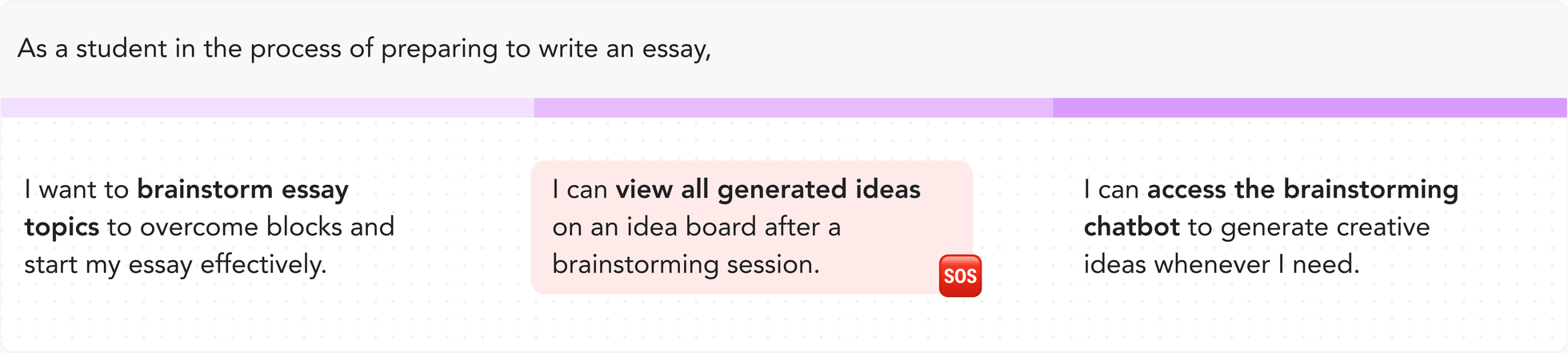
After the kick-off meeting, I received user stories regarding the brainstorming feature from the CEO. Rather than diving straight into a solution, I took a step back to assess whether these user stories were coherent. Through this evaluation, I realized a problem with the user story: Users might feel confused and overwhelmed if we aggregate numerous ideas from various conversations together onto the idea dashboard.
My approach
Exploring alternative possibilities with well-defined rationales.
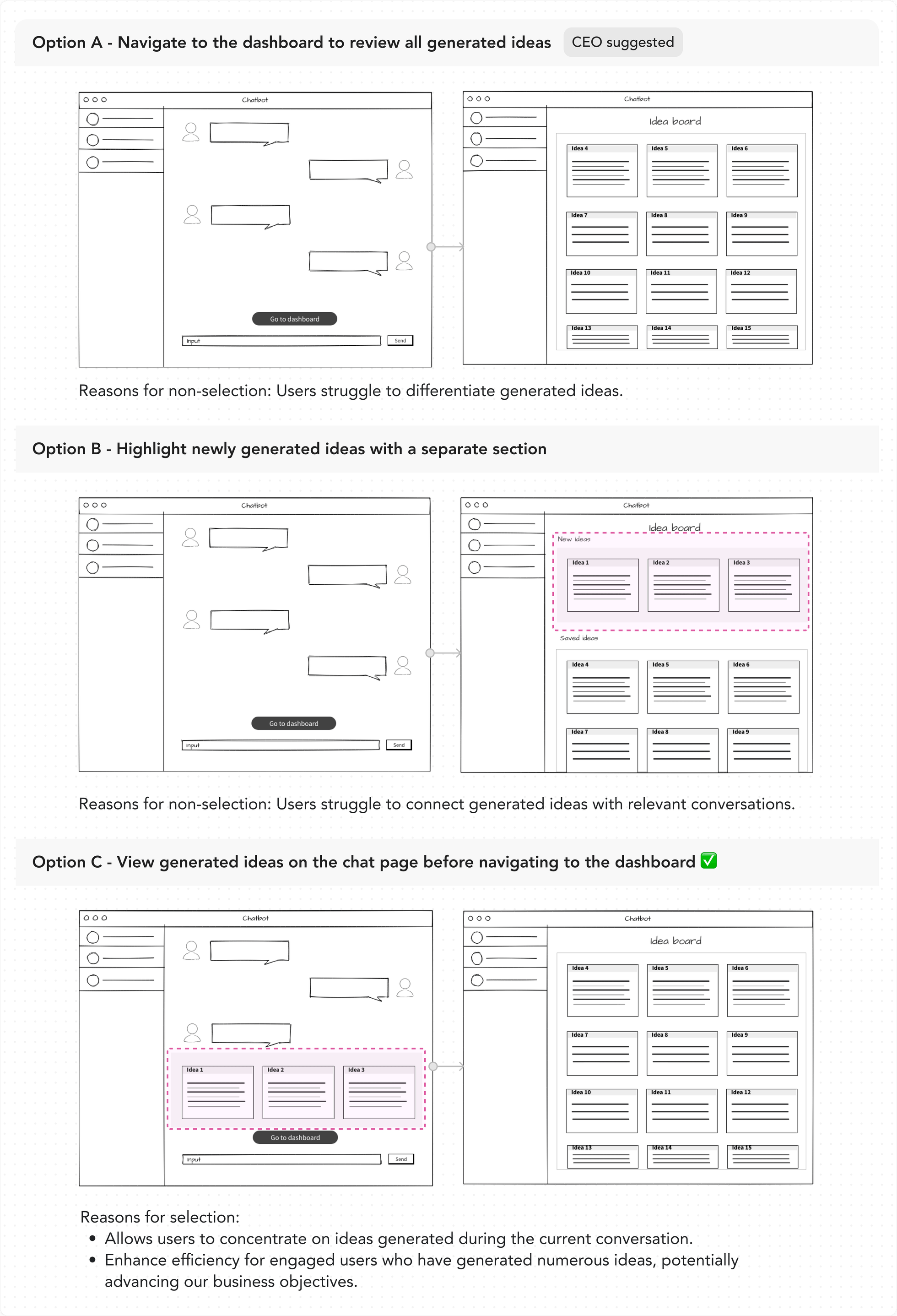
In addition to the CEO-suggested Option A, I explored two other options. Subsequently, I presented all solutions to the CEO with clear explanations for my design recommendations. The CEO fully endorsed the idea of enhancing efficiency and personalization, ultimately agreeing with the suggestion. Finally, we selected Option C.
Conduct usability tests to better align the design with users' needs.
We conducted 5 usability testings to gain insights into user perspectives and identify pain points related to the feature. Good news was that my previous design decision received very positive feedback from participants.
“It keeps everything in one place, it's a real time-saver.” — from one of our participants
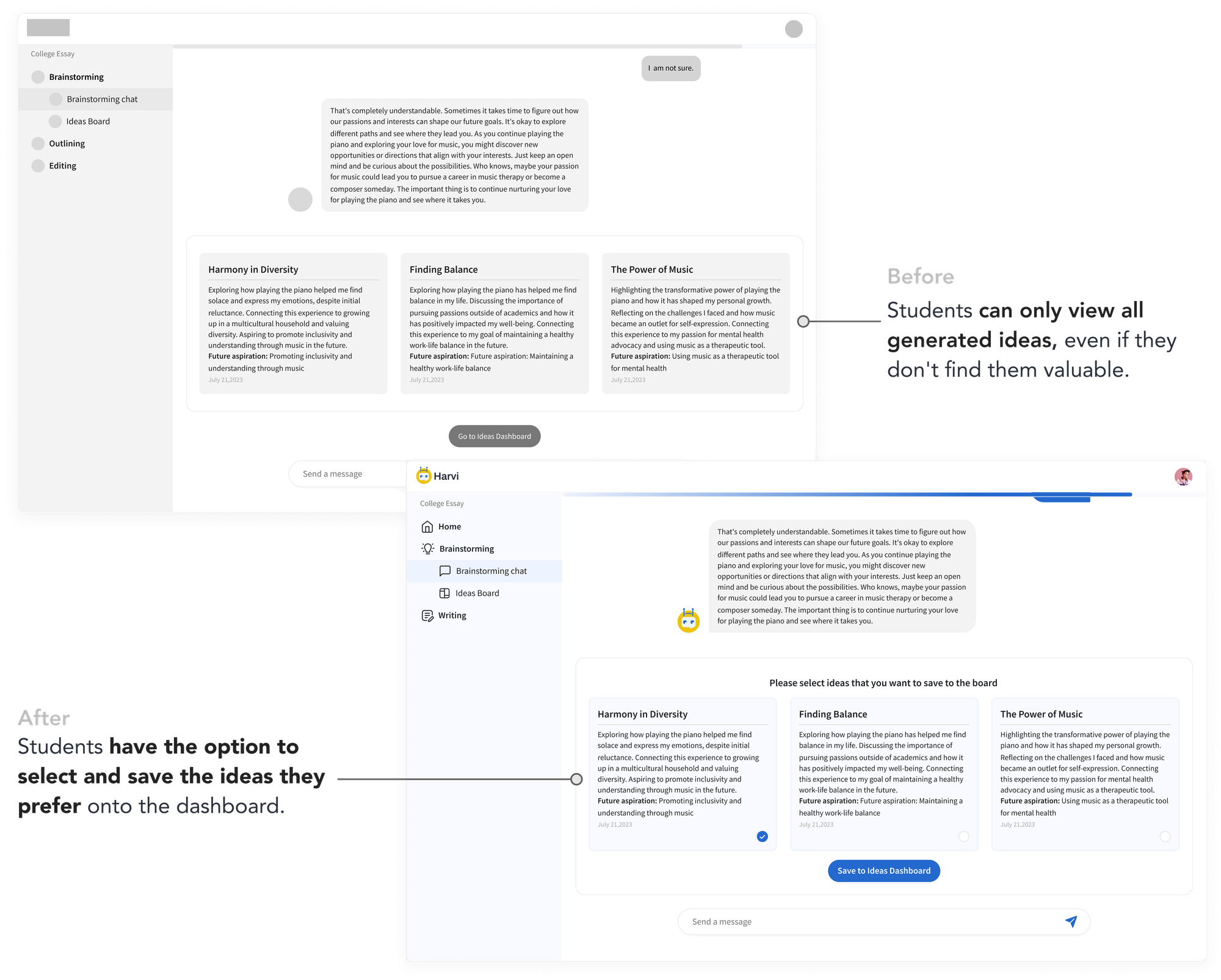
In addition to the positive feedback, we identified areas for improvement to enhance the user experience further based on users' feedback — allow users to pick ideas they find valuable to the dashboard, rather than including all ideas from conversations.
Final Design of Feature I
Explore favorite essay topics through an engaging brainstorming session with a chatbot.
Users can discover and select a unique and captivating essay topic that sets them apart from other applicants while brainstorming with the chatbot.
Project Feature II
AI-powered outlining for writing references
Challenges I faced
Huge misalignment between defined feature and users' needs.
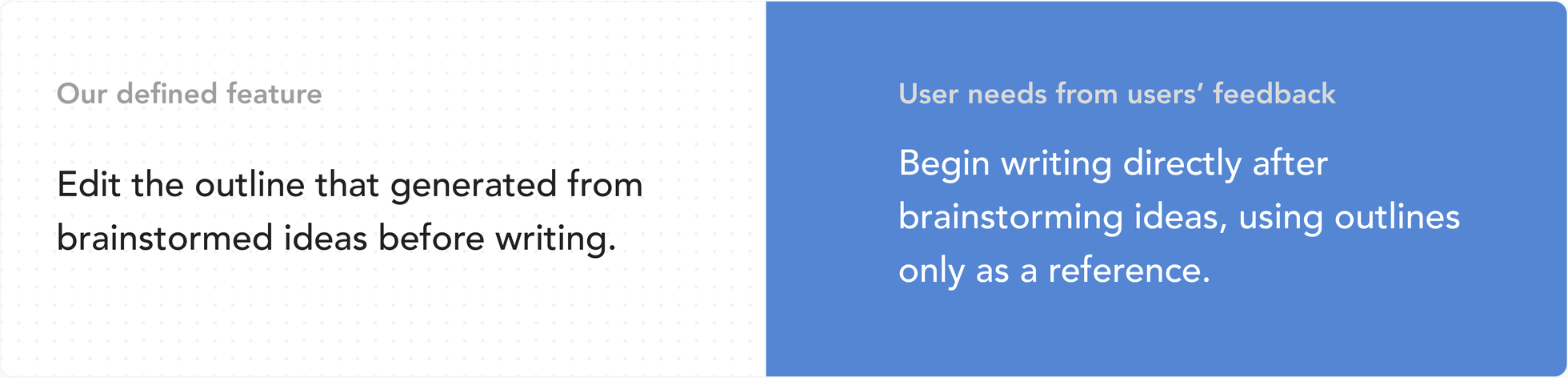
Our initial assumption was that users prefer to customize the AI-generated outline before officially writing the essay to ensure its quality. I even explored several design solutions to achieve this. However, after talking with our target users and sharing the initial design with them, we discovered a significant misalignment between our assumed feature and users' needs.
My approach
Iterate designs with findings of usability testings and competitive analysis.
Based on user feedback, I swiftly explored design options by integrating the outline and writing features onto one screen while removing any functions related to editing the outline.
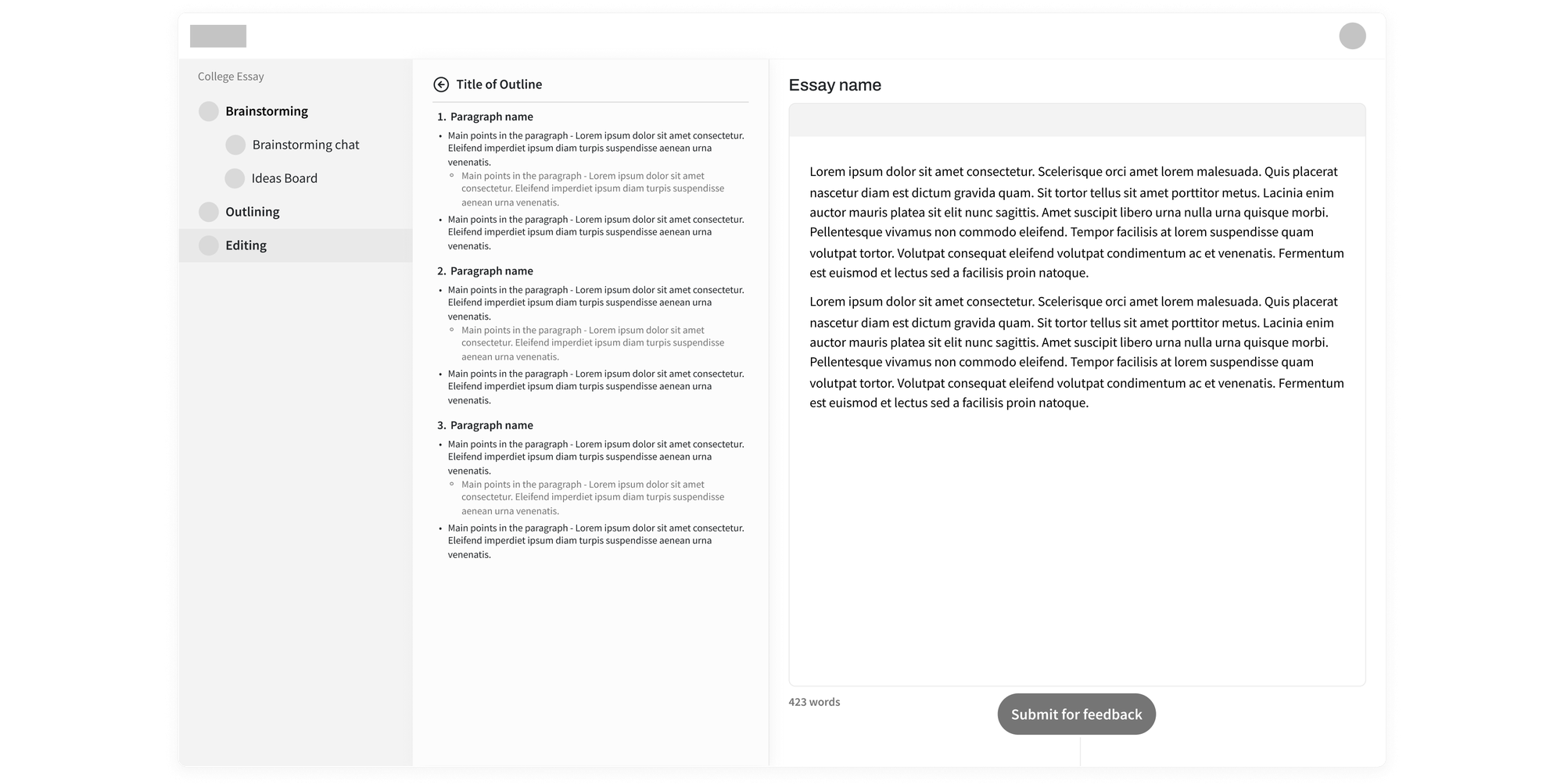
With this design version, I conducted usability testing first to assess its alignment with user expectations. I discovered —
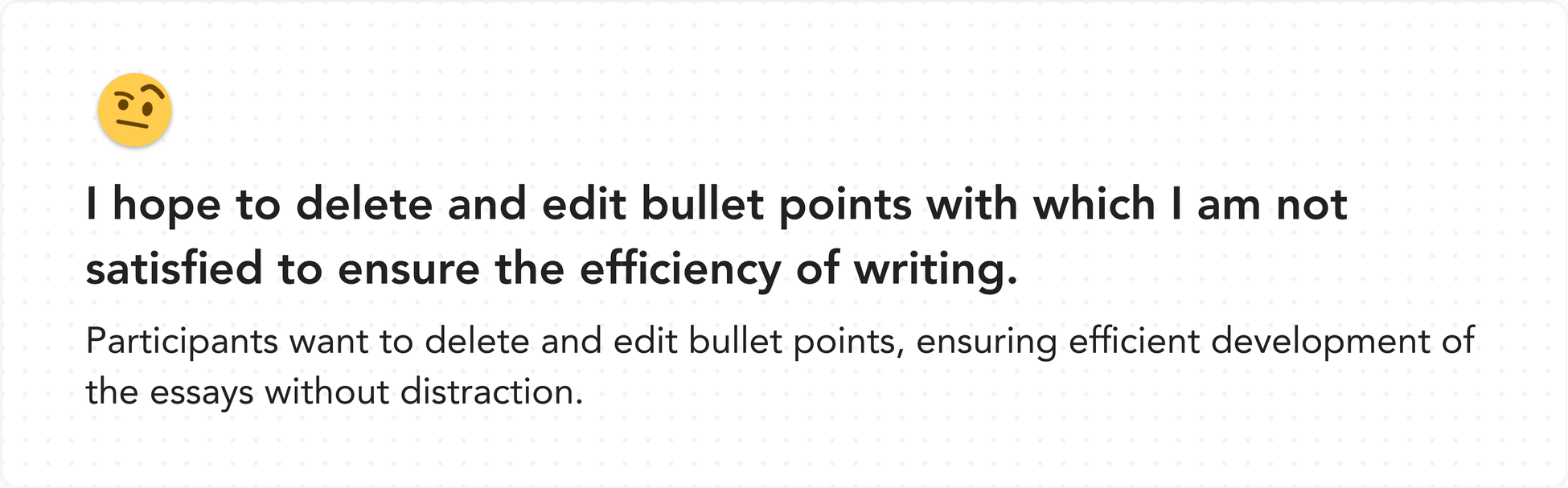
With these findings in mind, I then conducted a competitive analysis to explore how other competitors address similar challenges.
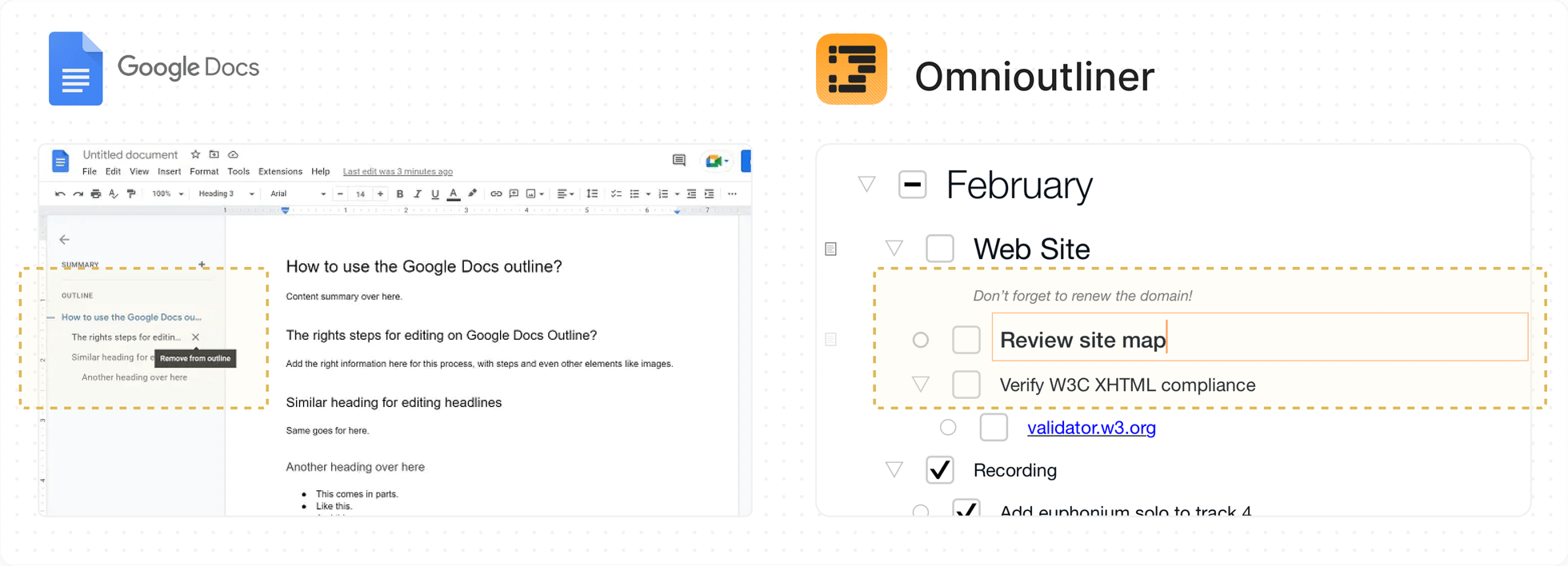
Key takeaways
- To direct users' attention to the writing feature, use a hover interaction on the outline to reduce its prominence.
- While the outline may not be the primary feature, ensuring users can easily take action with it remains crucial.
Final Design of Feature II
Compose essays using a structured, editable outline to enhance efficiency and productivity.
Users can seamlessly write essays while referencing the outline, with the ability to edit or delete the outline for enhanced efficiency.
Project Feature III
Receive professional feedback from AI
Challenges I faced
Seeking a simplified solution that balances user needs and technological feasibility.
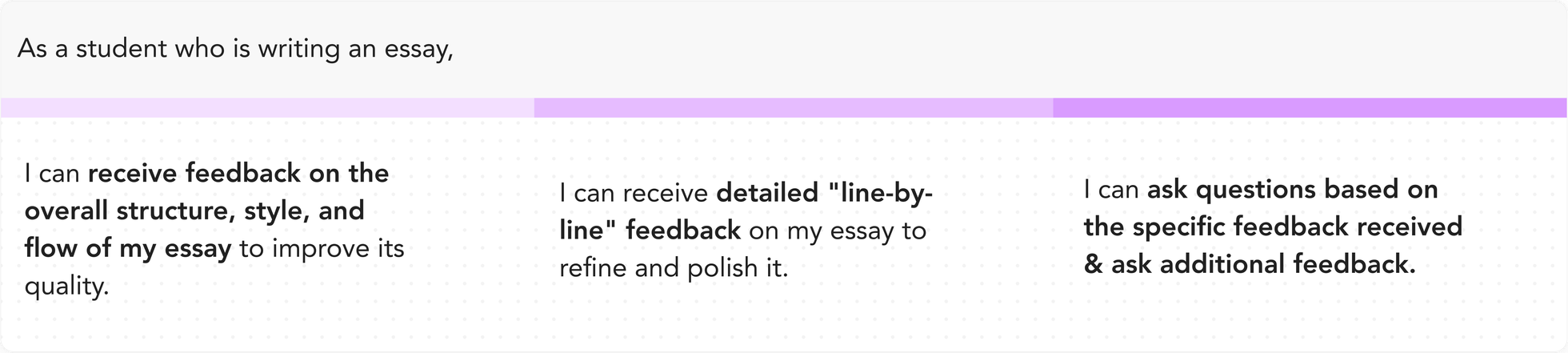
Informed by user stories, I developed lo-fi prototypes enabling users to inquire about generated feedback on the feedback card and request additional feedback via the chatbot window. However, during the design review, the CTO emphasized the need to simplify the development process. He asked if I could incorporate the feedback request function either on the feedback card or integrate it within the chatbot.
Lo-fi prototype V1
“Can we incorporate the feedback request function either on the feedback card or integrate it within the chatbot?”
My approach
Further exploration aligns technical requirements with insights from usability testing.
As per the CTO's directive, I conducted further exploration along two directions: integrating the feedback request function on the feedback card, and integrating the feedback function within the chatbot.
Option A — Integrate the feedback request function on the feedback card 🙌
Option B — Integrate the feedback request function within the chatbot
I subsequently presented these two options during usability testing sessions. Throughout the testing phase, all participants expressed a preference for Option A, as it was more straightforward to view feedback, ask questions, and request additional feedback.
Besides confirming the overall direction, I iterated on the design based on participants' feedback to enhance Option A.
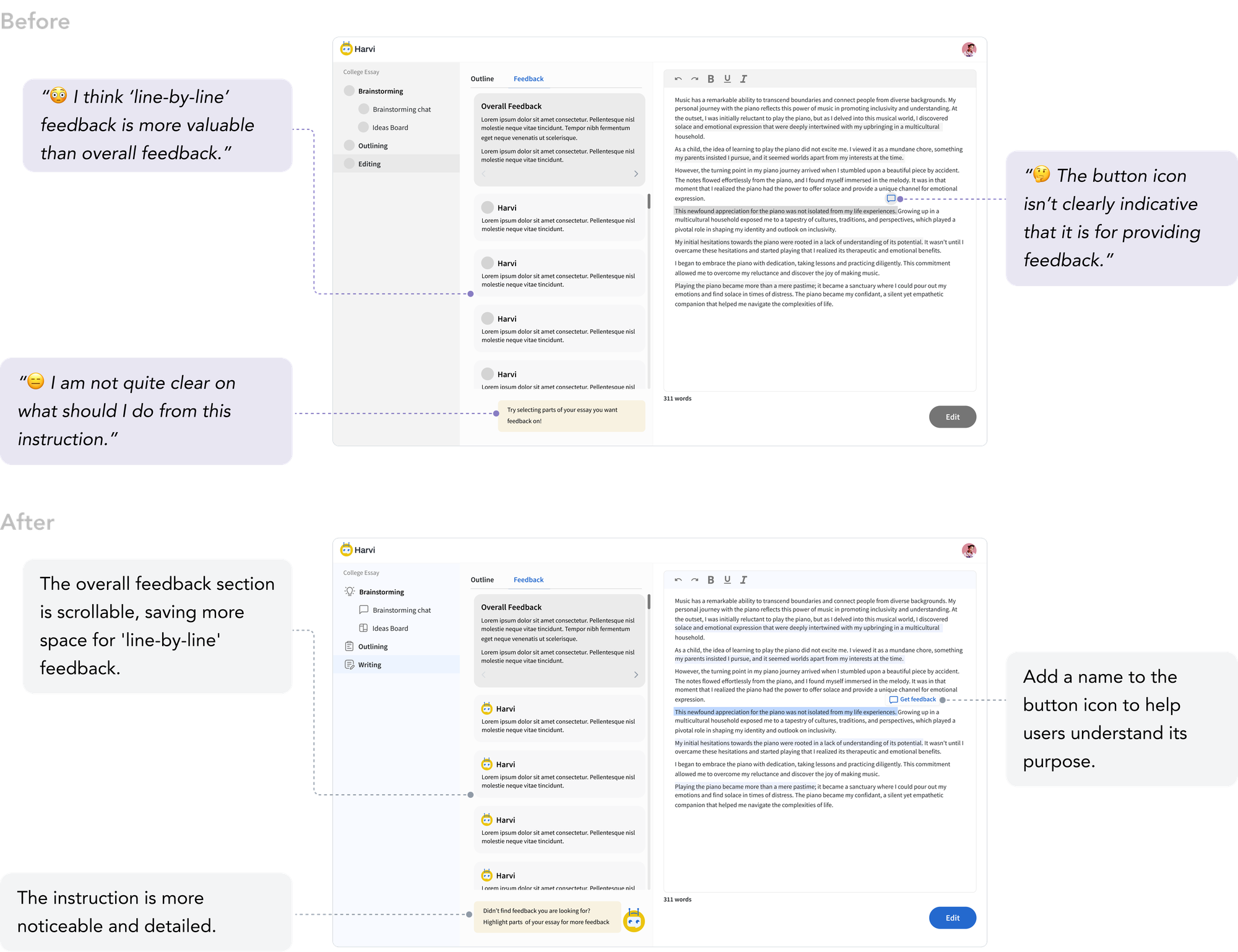
Final Design of Feature III
Delve into each feedback and request input for a comprehensive understanding of how to elevate the essay to the next level.
Users can ask questions based on generated feedback and request additional feedback to obtain a comprehensive evaluation of their essay from all angles.
Design system
Implement systems thinking to streamline the process.
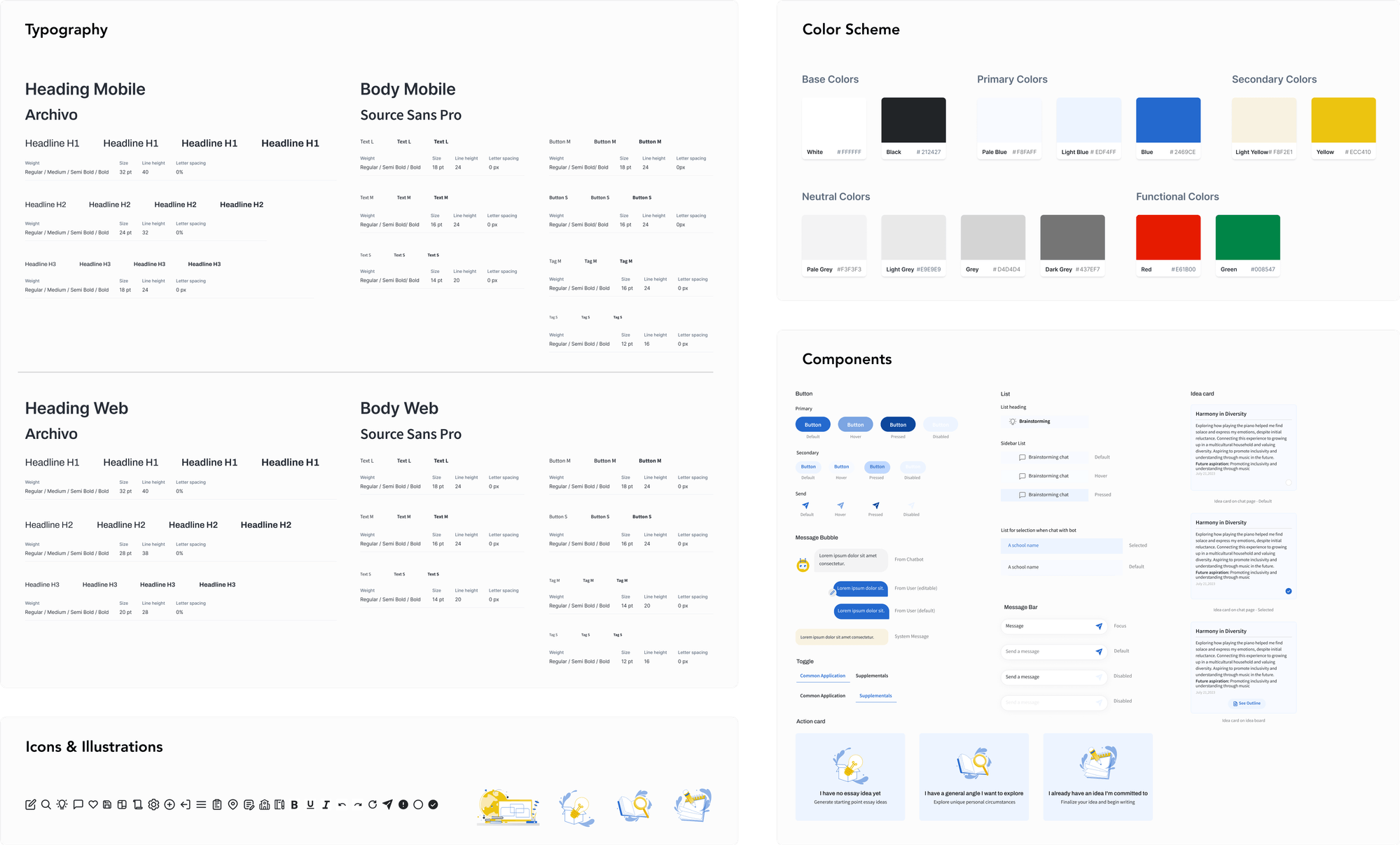
Logo & Character design
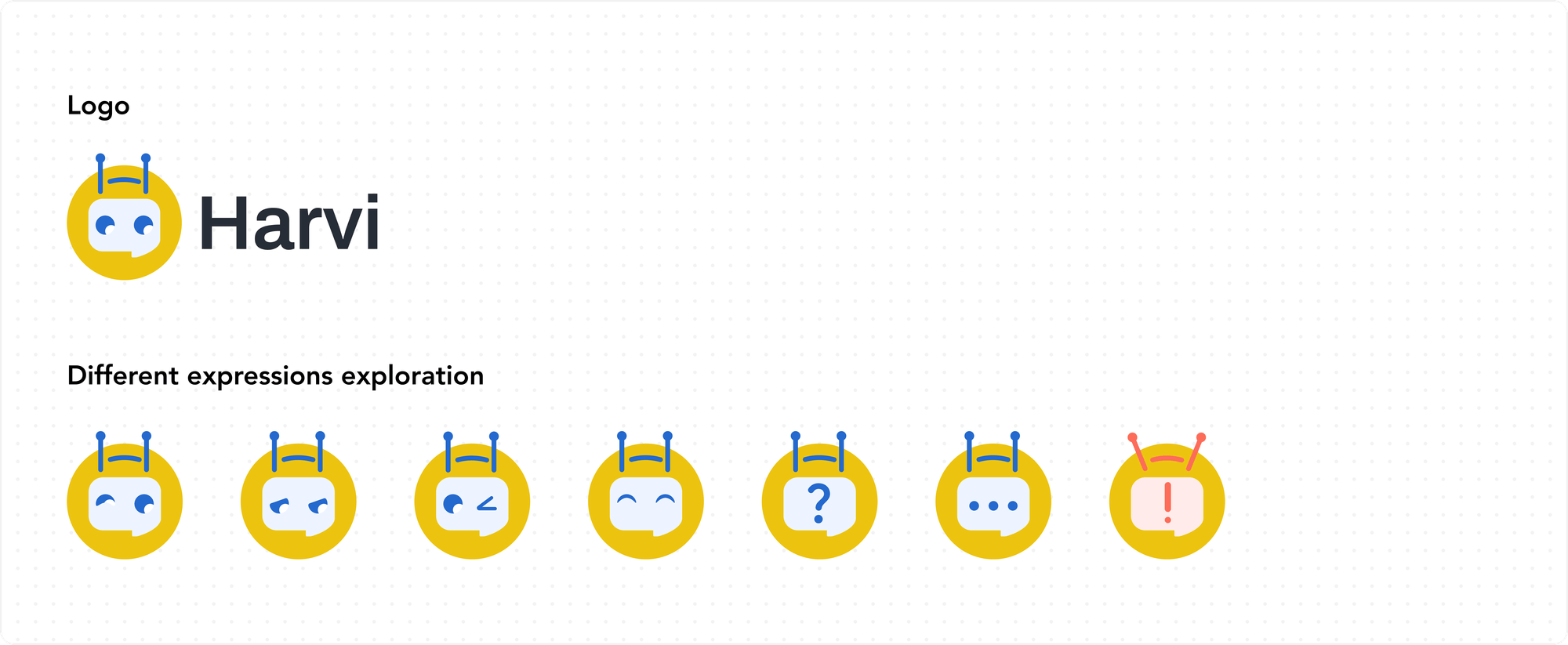
Elevate the strength of the brand identity.
Before MVP launching, the CEO approached me with a request to create a platform logo. He envisioned a friendly and anthropomorphic design, aligning with his plan to introduce Harvi, a student's friend character, to enhance our brand identity within the platform. Additionally, I considered strategies to make Harvi stand out from other chatbot characters.
Final design
A free AI college counselor to assist high school students in crafting college essays, improving both efficiency and quality.
Reflection
Engage users early and conduct frequent usability testing to ensure designs align with users' needs.
Early User Involvement. While we did iterate based on user research findings, involving users in the ideation and concept development phase could have led to more innovative and tailored features and also avoided extensive revisions later in the project.
Usability Testing Frequency. Although we did iterate based on user research, I would have increased the frequency of usability testing throughout the design process. This would have allowed us to catch usability issues earlier and make adjustments before they became embedded in the design. More frequent testing would have helped us achieve an even more optimized user experience.
Next steps
Further enhance responsiveness and user experience.
While the product is launching, it signifies the beginning rather than the end. My next steps include:
- Ongoing work on the mobile version.
- Design features that outlined for our upcoming launch.
- Gather user feedback to iterate and improve the product further.